
How do I view the app in French?
To use the Freestyle Ski Canada app in French, you’ll need to update the language settings on your iOS device. Here’s how:
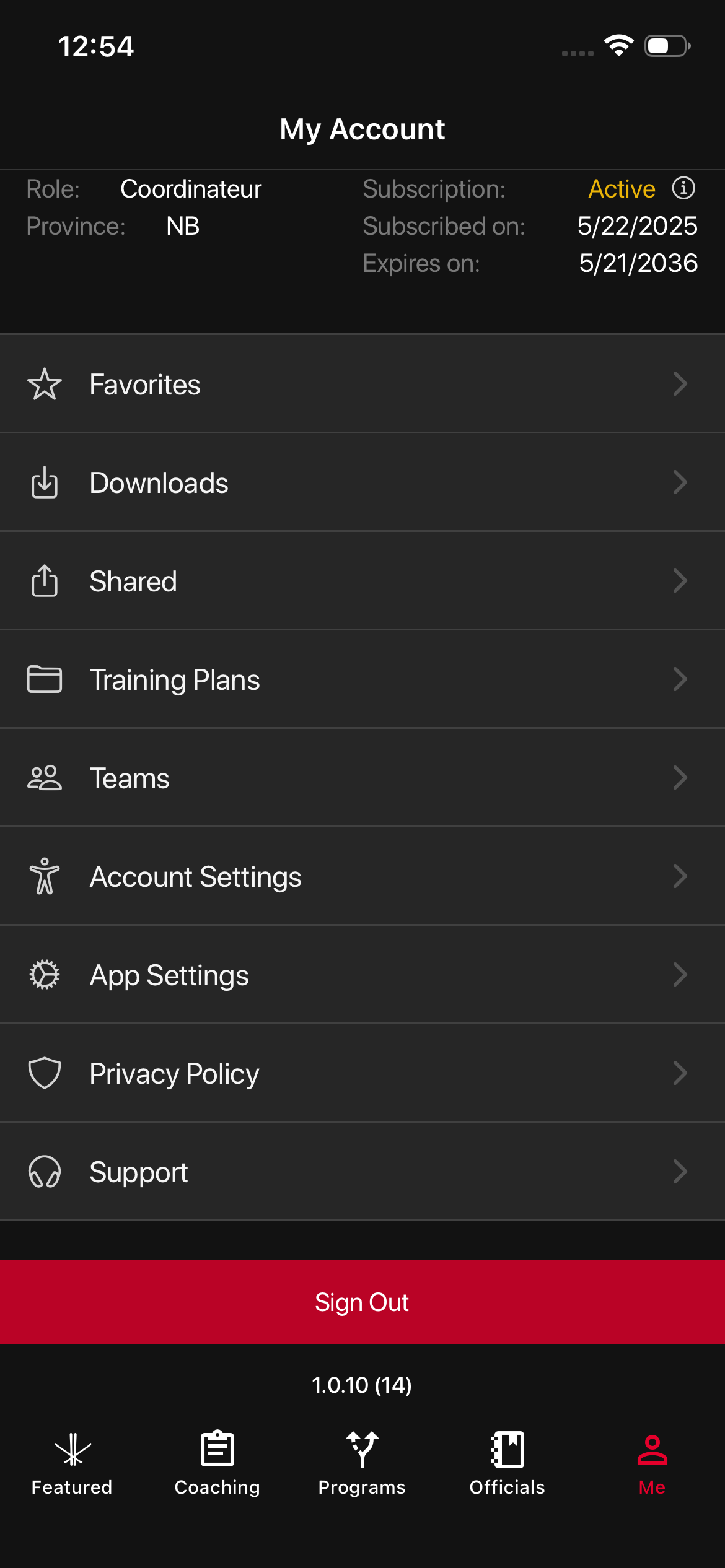
- On the navigation menu, go to ‘My Account’
- Tap App Settings
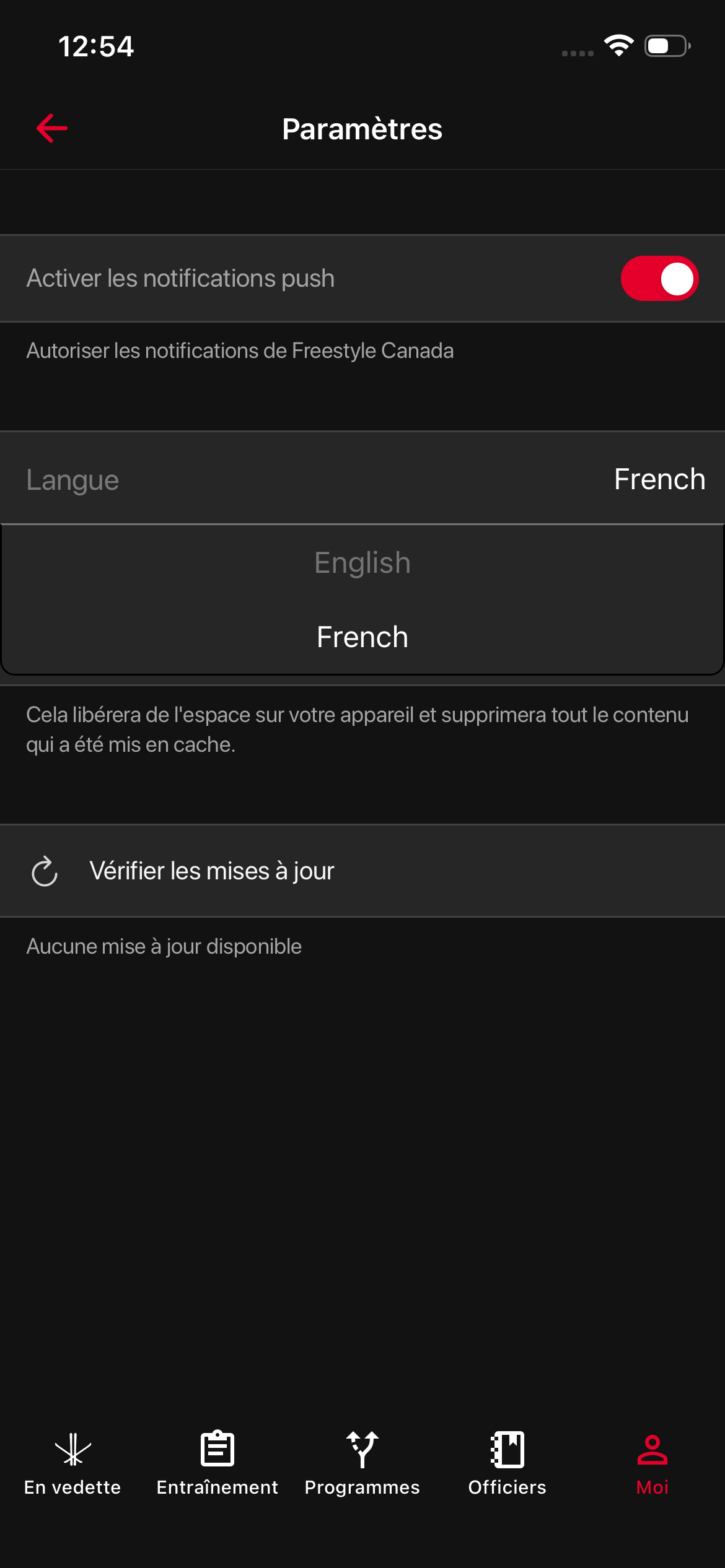
- Under language, select the French language option
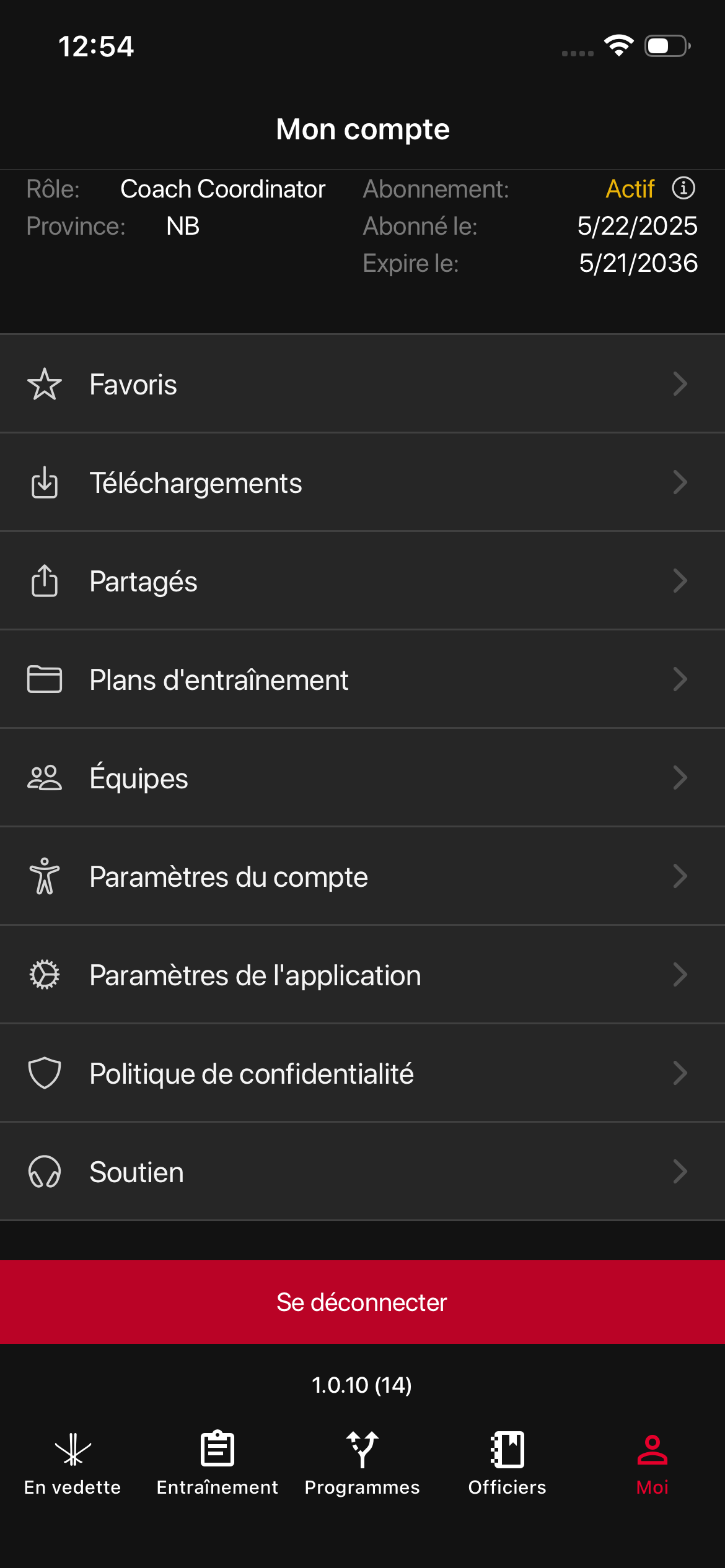
Once your device language is set to French, reopen the Freestyle Ski Canada app and it will now appear in French.
Was this article helpful?
Related articles