
Invite and Add a Team Member
Inviting someone to your team is quick and easy:
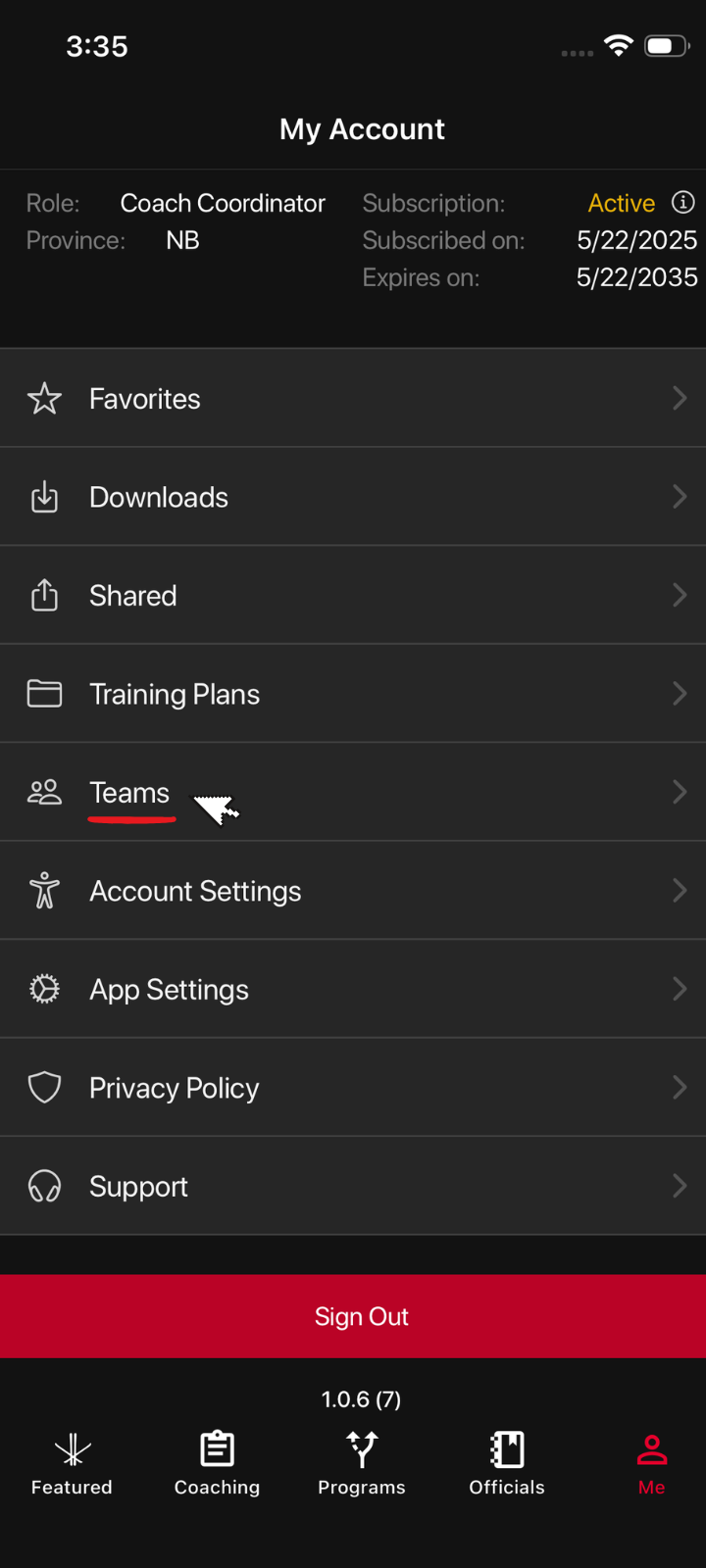
- Tap “Me” in the navigation menu to open your My Account page.
- Select Teams to access your Teams dashboard.
- Choose an existing team or create a new team by clicking +Add Team

- Once you’re inside your team: Tap Invite Teammates

- Press the red Invite a Team Member button
- Select a contact or enter your friend’s email address
- Tap Send to email the invitation

- Your teammate will receive an email with a link to join.

As soon as they accept the invitation, you’ll see their name listed under your team on the Teams dashboard.

If you run into any issues, we’re happy to help!
Was this article helpful?
Related articles