
How do I delete a training plan?
Need to remove a training plan? No problem — it only takes a few steps:
- Go to your Training Plan dashboard.
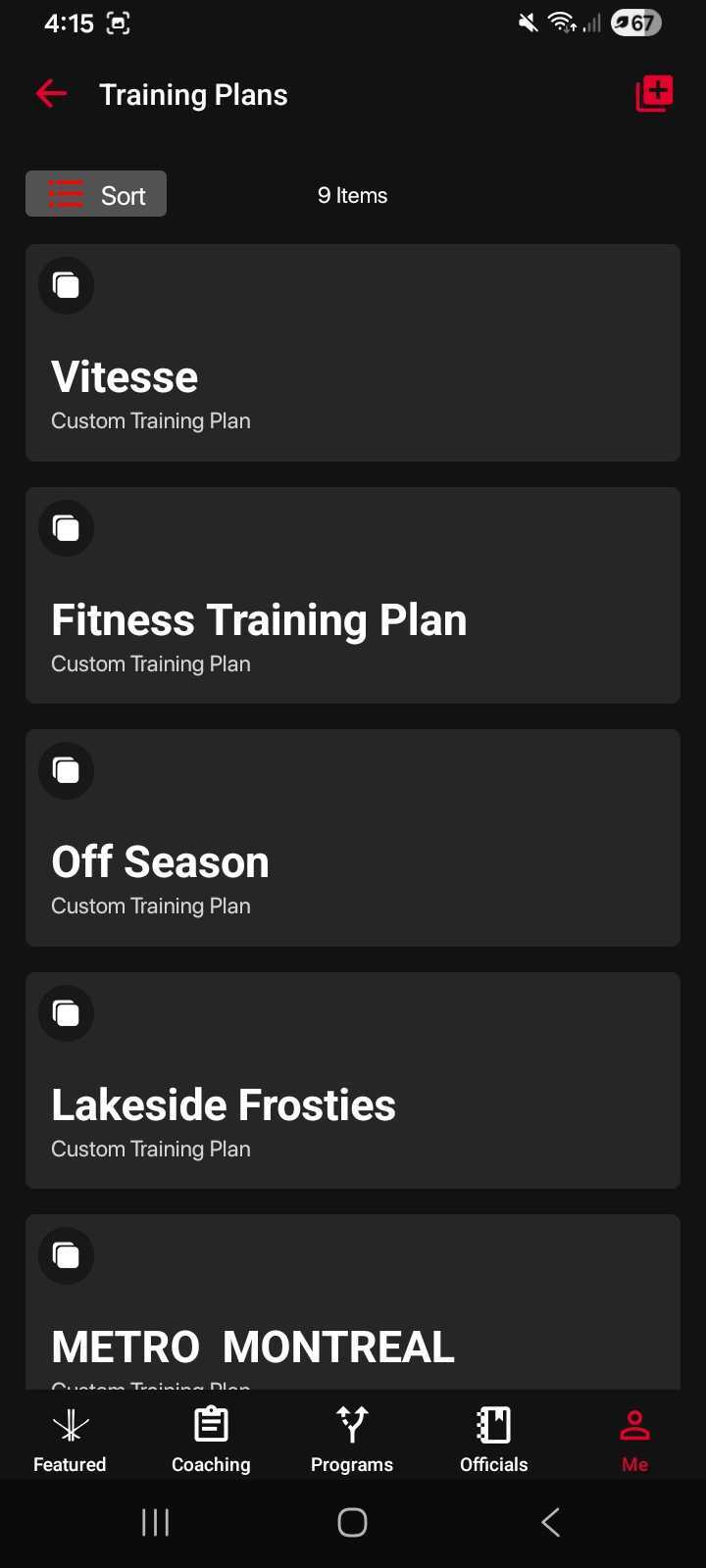
- Select the training plan you’d like to delete.
- Once the plan opens, tap the three-dot menu in the top-right corner.
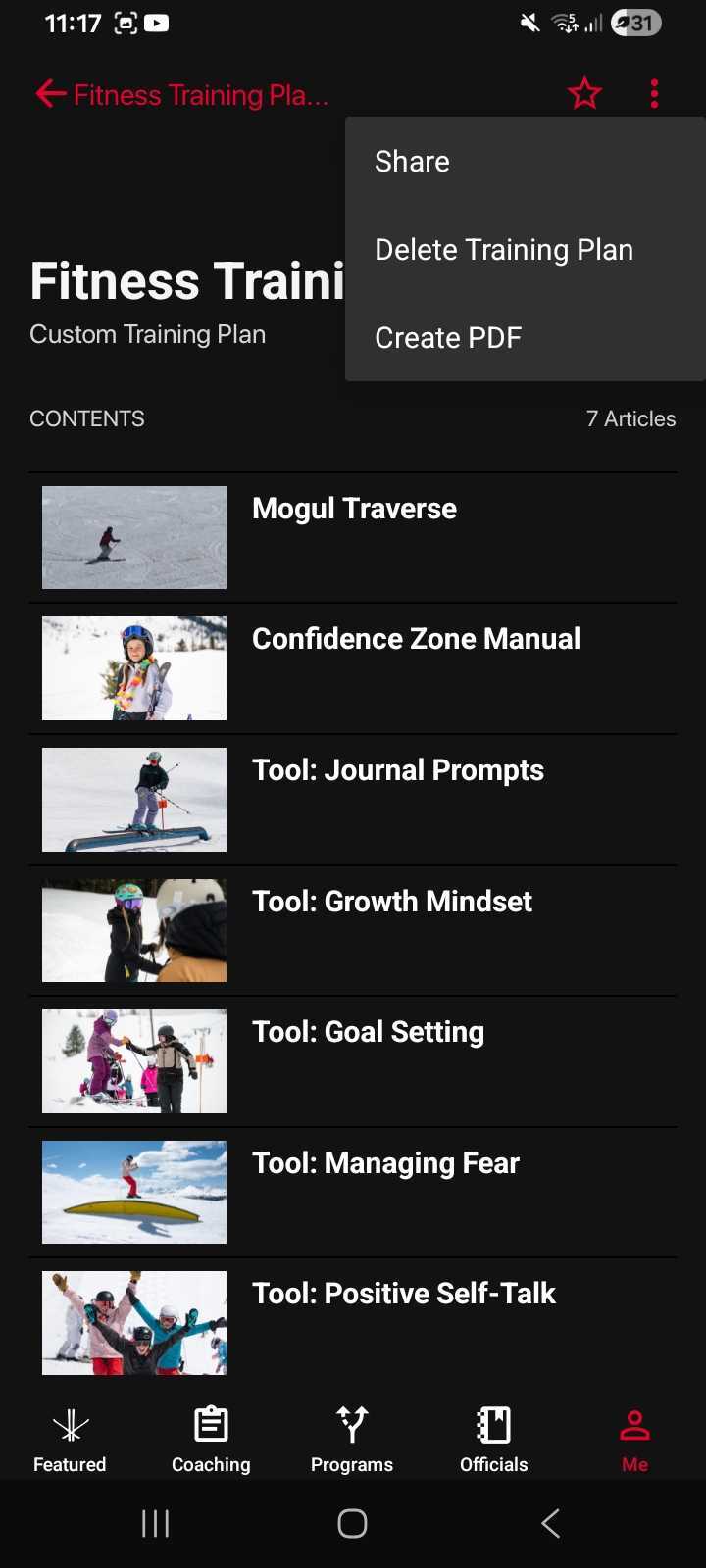
- Choose “Delete Training Plan.”
- Confirm your selection.
Your training plan will then be permanently removed from your dashboard.
Was this article helpful?
Related articles