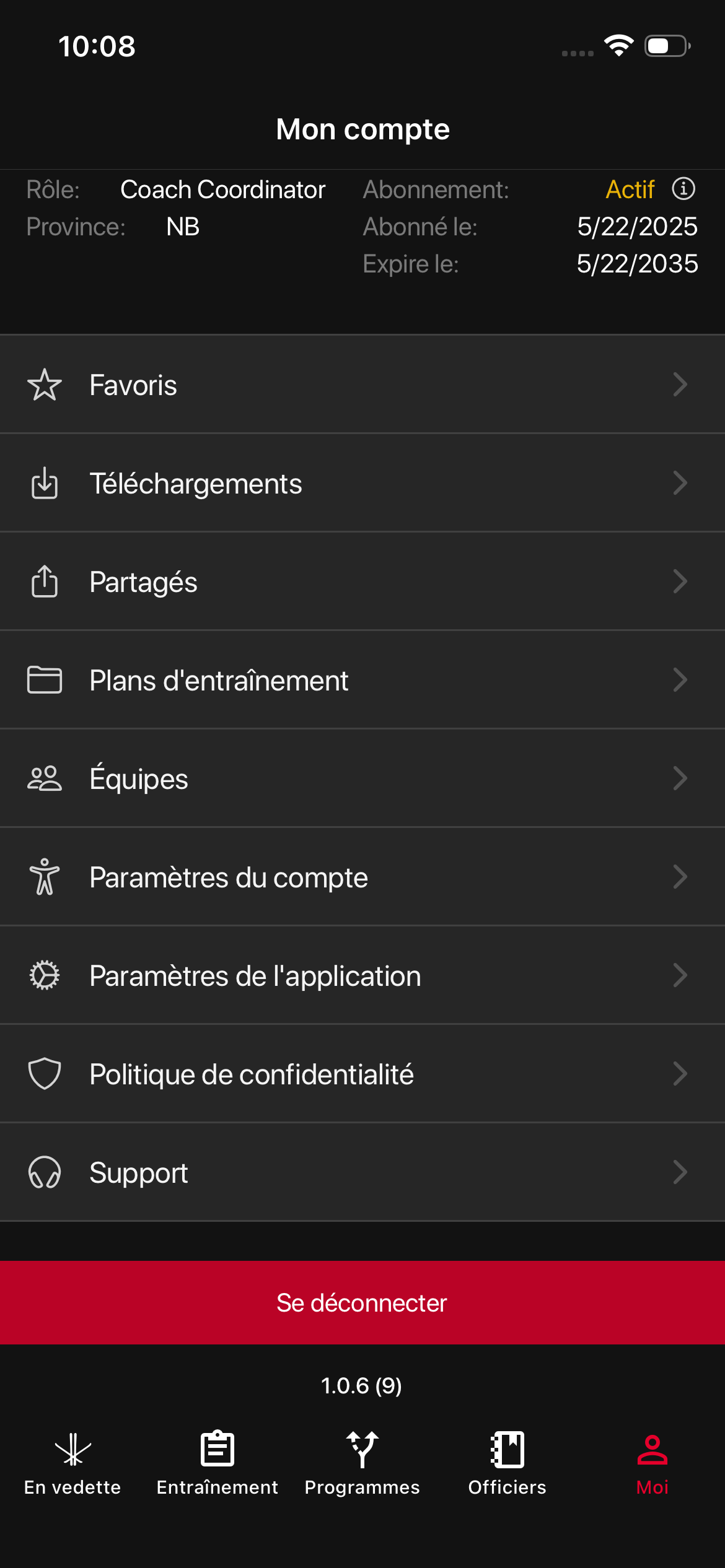
You can change the app’s language directly from the settings:
Open the navigation menu and go to My Account.
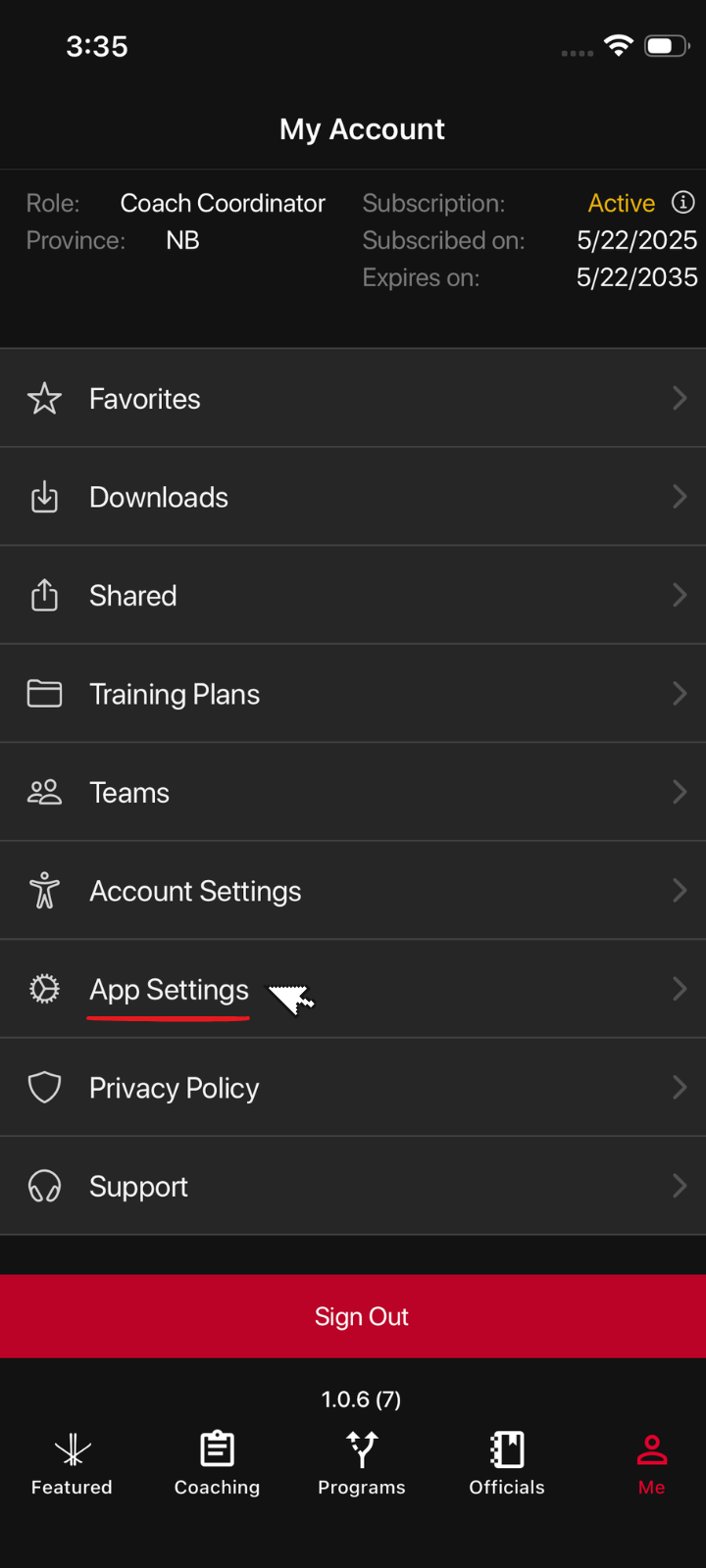
Tap App Settings.
Under Language, select the language you want to use.
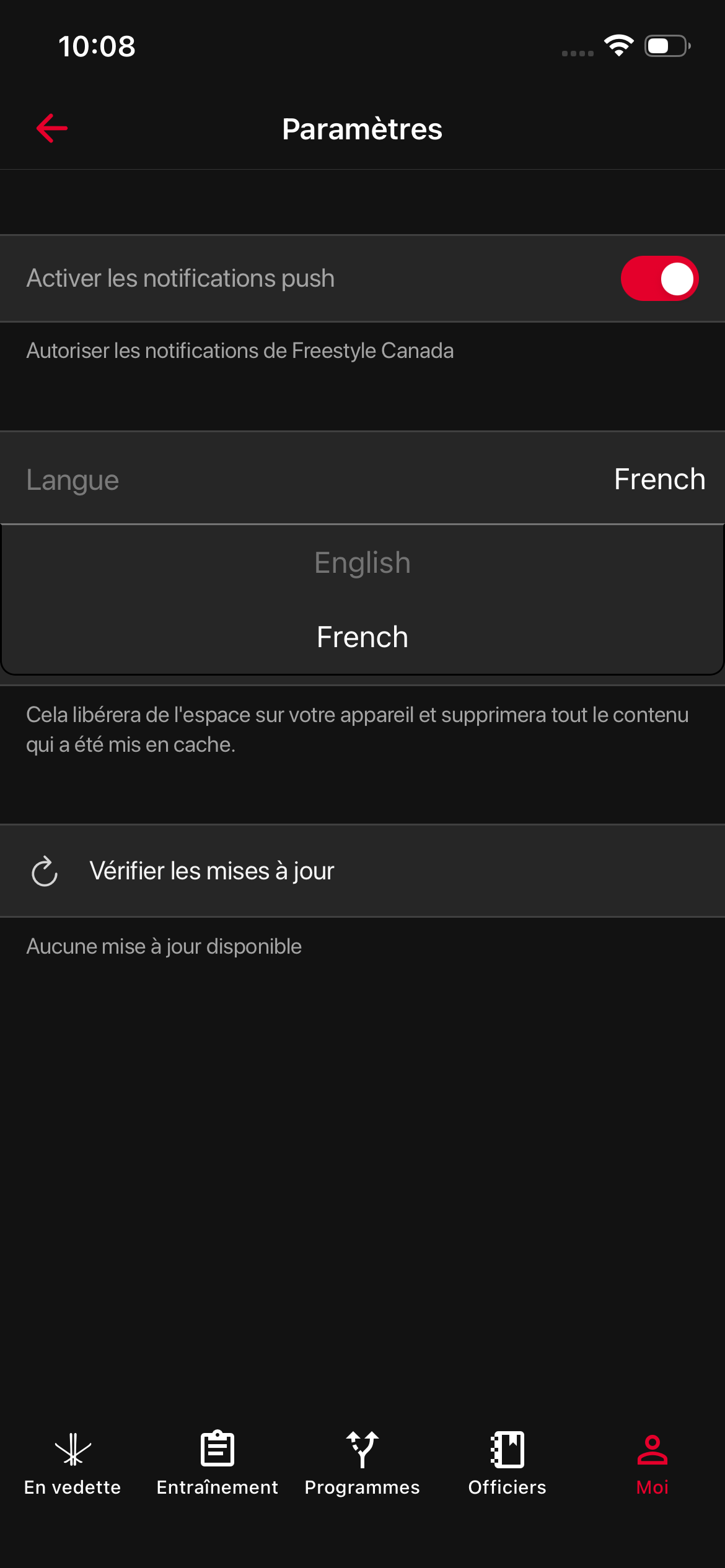
The app will update immediately, and all menus and content will appear in your chosen language.